Messages: write to other Dogsyaner directly
In DOGSY you message other dog people directly – no phone number, no third-party messenger. One-to-one chats, groups, photos, voice messages and location, plus read receipts and a search across your whole history. Here you'll learn what the messenger does and where its limits are.
How it looks in the app
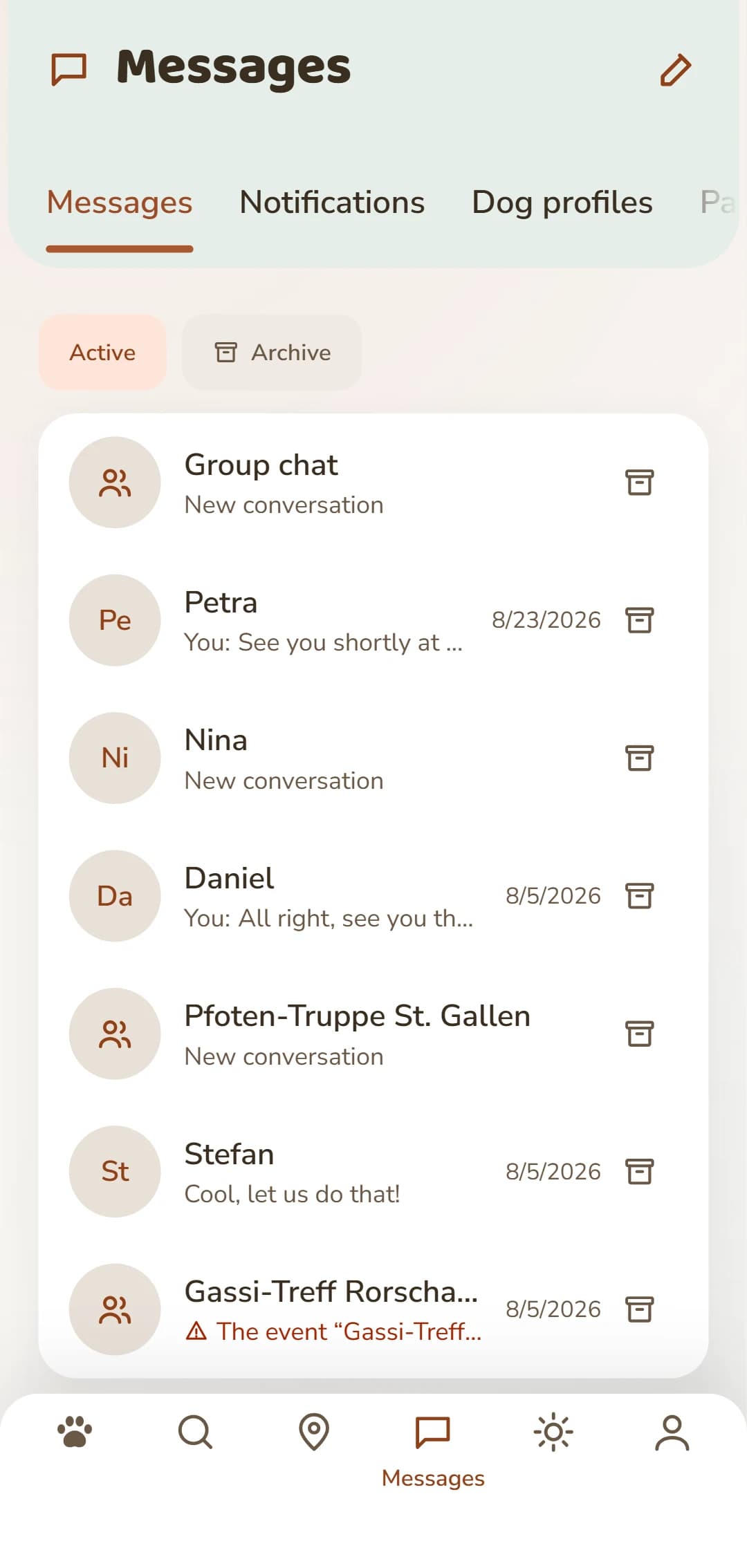
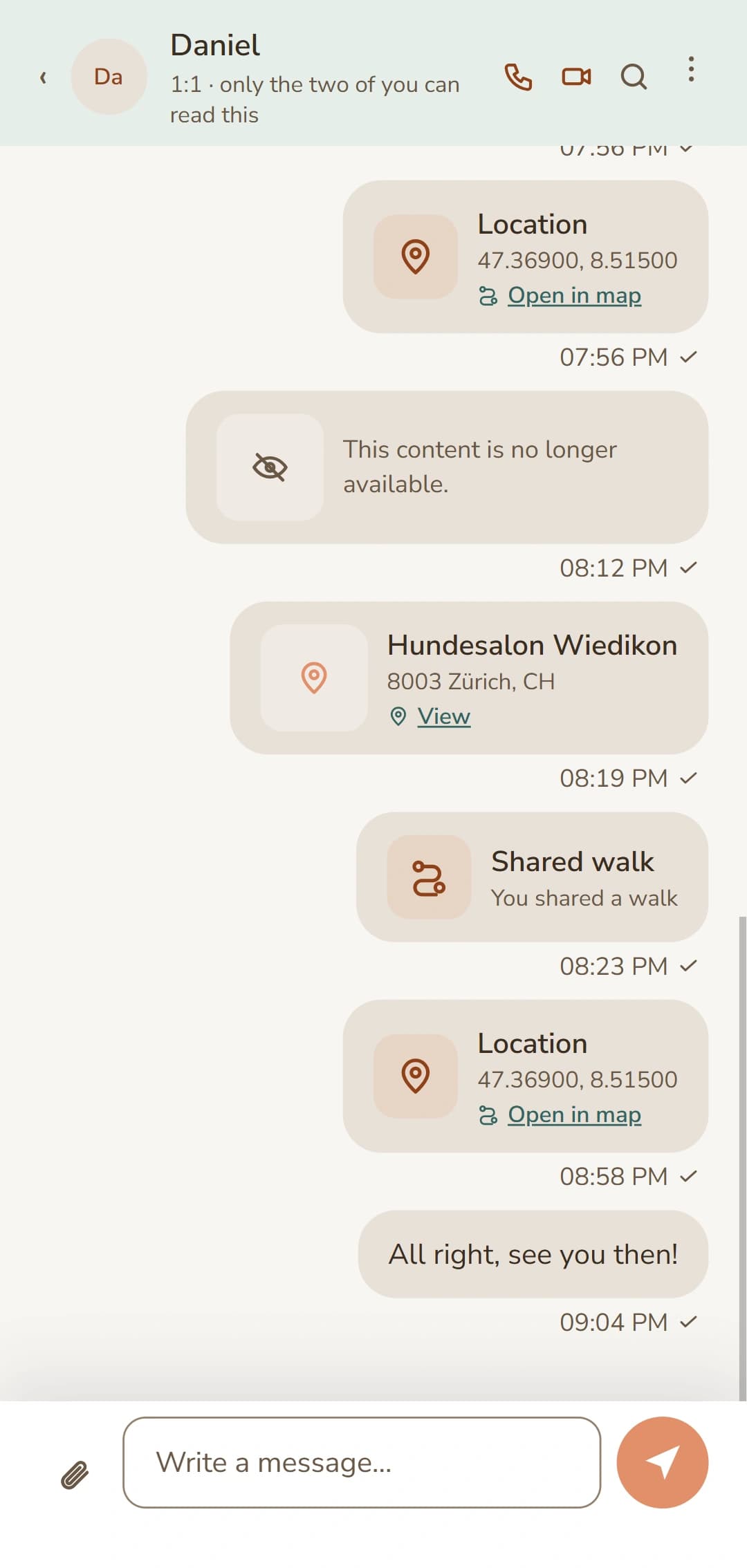
A look at your conversations and at an open chat – it looks the same in the browser.
What are DOGSY messages?
Messages are the built-in messenger of DOGSY. Anyone who catches your eye – a Dogsyaner from the search, someone with a request, a post on DOGSYgram – is just one message away. You need no phone number and no other service: everything runs inside DOGSY, in the browser and in the app, and you find the same conversations everywhere. New messages arrive in real time, with nothing to reload.
What you can do in a chat
One-to-one chats
Message someone directly – from a search result, from a request or from a profile. Every conversation stays in one place, the most recent on top, and unread ones carry a counter.
Photos, voice messages & files
Attach a photo, record a voice message of up to two minutes or send a file – the vaccination record as a PDF, for example.
Share your location
Send your location into the chat so you meet in the right place. During a walk you can also share it live until the walk ends.
Share content from DOGSY
Send a DOGSYgram post, a place from the Guide, an event or a walk into the chat as a tappable card – no fiddling with links.
Read receipts
One tick means sent, two grey ones delivered, two blue ones read. You always know where you stand, without having to ask.
Search your history
Search for a word: DOGSY looks through your whole history, not just the latest messages. Older messages load page by page.
Group chats and your Rudel
Besides one-to-one chats there are groups: several people in one conversation – perfect for a walk with three of you, a dog school group or the neighbourhood. You can add people from your Rudel or people you already chat with one-to-one – never strangers. And whatever you don't need right now you archive: the conversation disappears from the list and still stays yours.
How to start a conversation
Four steps to your first chat:
Find someone
Search for a Dogsyaner near you, browse the requests or discover someone through DOGSYgram, the Guide or an event.
Write a message
Tap «Send message» on a profile or a search result and write your first line. Before your very first message, DOGSY shows you a few tips on getting to know people safely – once.
Attach and share
Send photos, a voice message, a file or your location – or share a post, a place or an event directly as a card.
Start a group
More than two of you? Create a group chat – with people from your Rudel or with your existing chat partners.
Calls straight from the chat
From an ongoing conversation you can call – with sound or with video. We'll tell you right away where the limit is, so you don't rely on it at the decisive moment.
How a call works
Open the conversation
A call always starts from an existing chat. You need no phone number for it – and you hand none out either.
Tap the handset or the camera
Two buttons sit at the top right of the conversation: the handset for sound, the camera for video. If they are missing, that person has turned calls off in their settings.
It rings on the other side
A large call window covers the other person's screen, with «Accept» and «Decline». If nobody picks up, the ringing stops by itself after a short while.
Talk, see each other, hang up
During the call you mute the microphone, turn the camera on or off – and hang up with one tap. A video call runs full screen.
Afterwards the call is in the chat
Every call leaves a line in the history: «Voice call» with its length – or a red «Missed call» if you didn't catch it. From there you write back or simply call again.
How it works
At the top of a conversation you'll find two buttons: call and video call. The connection runs inside DOGSY, with no phone number involved. Anyone who doesn't want calls turns them off in the settings – then the buttons don't even appear for them.
What you need to know
For it to ring on the other side, that person has to allow calls – and, for ringing while the app is closed, allow DOGSY notifications as well. Without notifications it only rings while DOGSY is open. So use calls for an arranged conversation – not as a replacement for the phone when something is urgent.
What it's good for day to day
Arrange dog sitting quickly
After ten messages back and forth, a short call is faster: dates, keys, feeding times – settled in two minutes instead of twenty lines.
See who's there before you meet
With a video call you show your dog, your home or the garden before you meet in person. That takes the uncertainty out for both sides.
Call back when you have time again
Out on a walk the phone always rings at the wrong moment. The missed call stays in the chat – you see it later and get back in your own time.
Calls are part of every DOGSY account – free of charge and without a phone number. Create an account and call →
Messaging safely
A conversation is nobody's business but the participants' – a chat is never public. You hand out no phone number and decide for yourself when to share personal contact details. If someone isn't a good fit, you block the account with two taps: after that, nothing gets through from there. If someone behaves badly, you can report the conversation to the DOGSY team.
Frequently asked questions about messages
Do I need a phone number to message someone?
No. The chat runs entirely inside DOGSY. You decide for yourself whether and when you pass on your number or other contact details.
Can anyone message me?
Other DOGSY members can message you. If someone isn't a good fit, you block the account inside the conversation – after that nothing reaches you from there. Serious misconduct can also be reported to the DOGSY team.
What can I attach?
Photos, voice messages of up to two minutes, your location and common files such as PDFs. Plus cards from DOGSY itself: DOGSYgram posts, places from the Guide, events and walks.
Can I see whether my message has been read?
Yes, from the ticks: one tick means sent, two grey ones delivered, two blue ones read.
Are messages translated automatically?
No. DOGSY does not translate chat messages – you write in whichever language you agree on. Profiles do show which languages someone speaks, and you can search for that specifically.
Does the messenger cost anything?
No. Messages, like all of DOGSY, are free.
Send your first message
Sign up for free, find someone near you and start a conversation.