Emergency net: if something happens to you, your dog is cared for
An accident, a hospital stay, a sudden illness – and nobody knows how your dog is fed or where its food is kept. The DOGSY emergency net prepares for exactly that: you name people you trust as emergency contacts and store a care sheet for each dog. Only someone who explicitly agrees can see it.
What it looks like in DOGSY
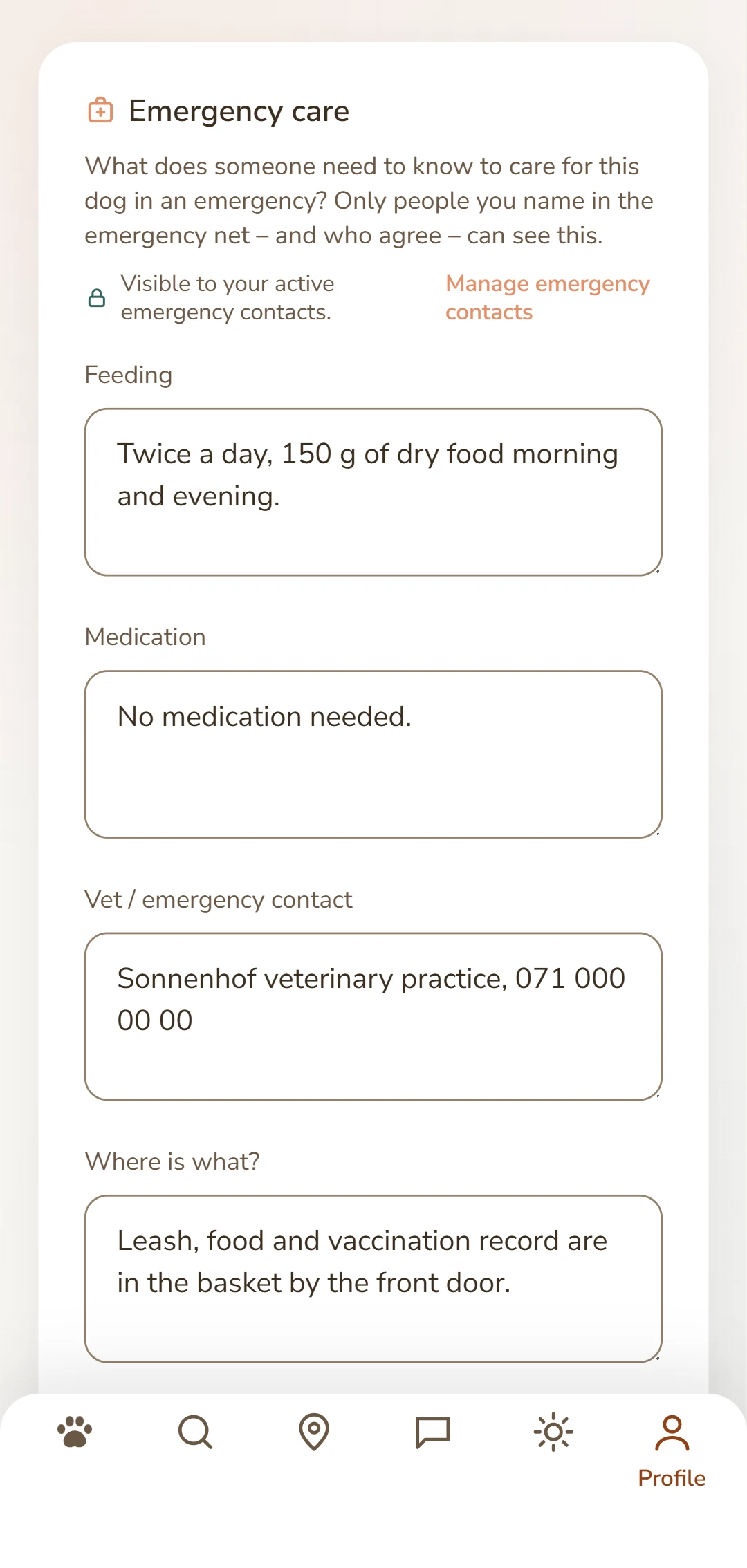
On the left your emergency contacts including open requests, on the right a dog's care sheet.
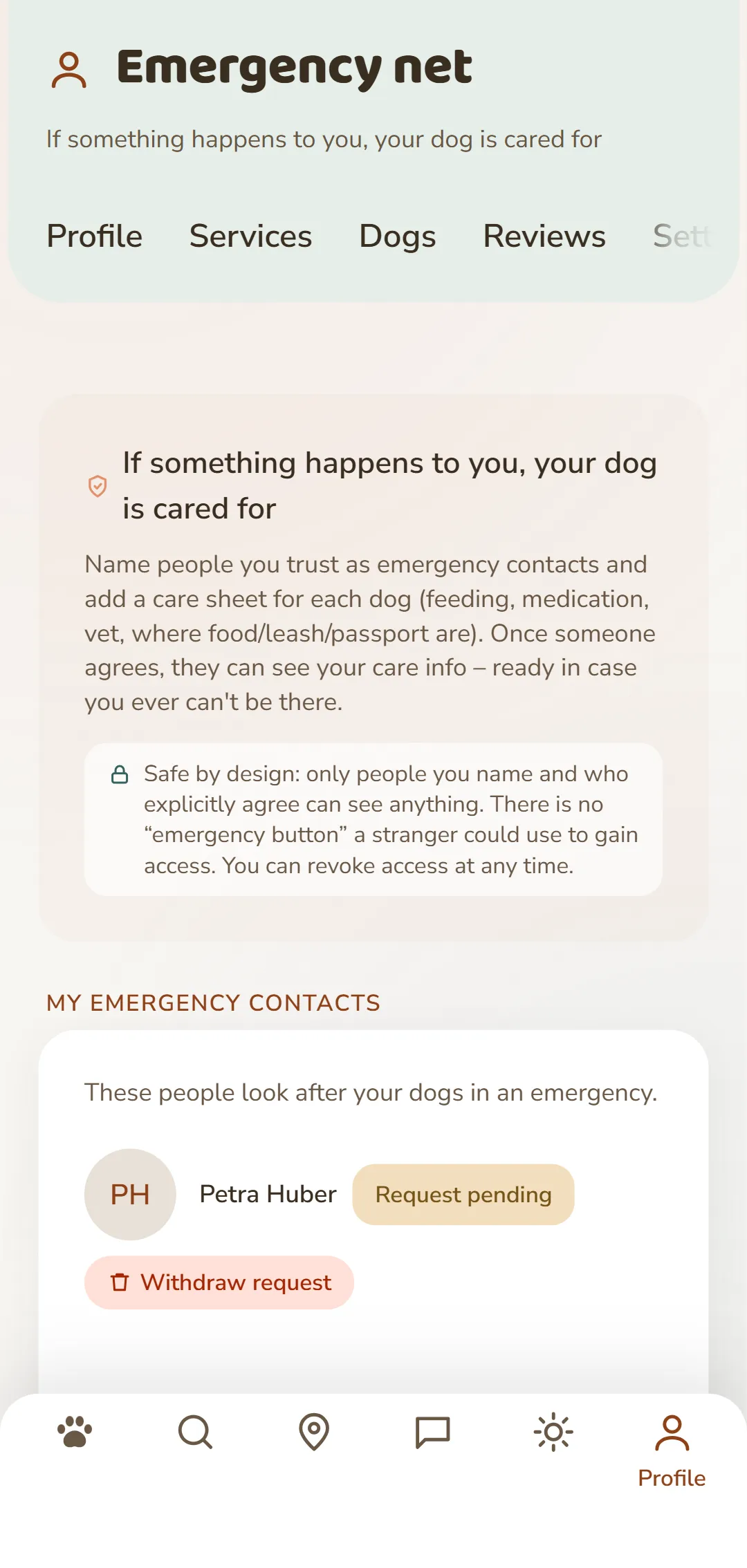
What is the emergency net?
The emergency net is your preparation for the worst case. You name people you trust as emergency contacts – and store a care sheet for each of your dogs: feeding, medication, vet, where the food, leash and passport are, the daily routine.What matters is consent: your request only becomes an emergency contact once that person explicitly agrees. Only from that moment can they see your care info – and only they. You can remove access again at any time.
What's included
Name people you trust
You pick from the people you're already connected with in DOGSY chat – no strangers, no list of names, no email field.
Consent is required
Your request is only a request. Only once the person agrees do they become an emergency contact and see anything. If they decline, nothing happens.
A care sheet per dog
For each dog you store separately what someone needs to know: feeding, medication, vet, routine and where things are kept.
Vet & health included
The vet entry and the health note from the dog record are passed along automatically to contacts who agreed – you don't have to enter anything twice.
Both sides are told
Your request arrives as a message in DOGSY and by email. If someone agrees or declines, you find out the same way.
Revocable at any time
You can remove access or withdraw an open request. And anyone who agreed can step down themselves at any time.
How to set up your emergency net
Four steps and your net is in place – best done today, not in an emergency:
Open the emergency net
In DOGSY, open Settings and tap «Emergency net». At the top you read what the section does – below it your contacts, your dogs and the people you stand in for yourself.
Send a request
Under «Name an emergency contact» you find the people you're already connected with in chat. One tap on «Request» sends it off – as a message in DOGSY and by email.
Wait for their answer
Until they answer, the name carries the tag «Request pending» and you can withdraw the request. Once the person agrees, the tag changes to «active» – only from then on do they see anything.
Fill in the care sheet
Under «Emergency care» each of your dogs is listed. Tap one and you land in its dog record, where the care sheet sits – feeding, medication, vet, where things are kept, routine.
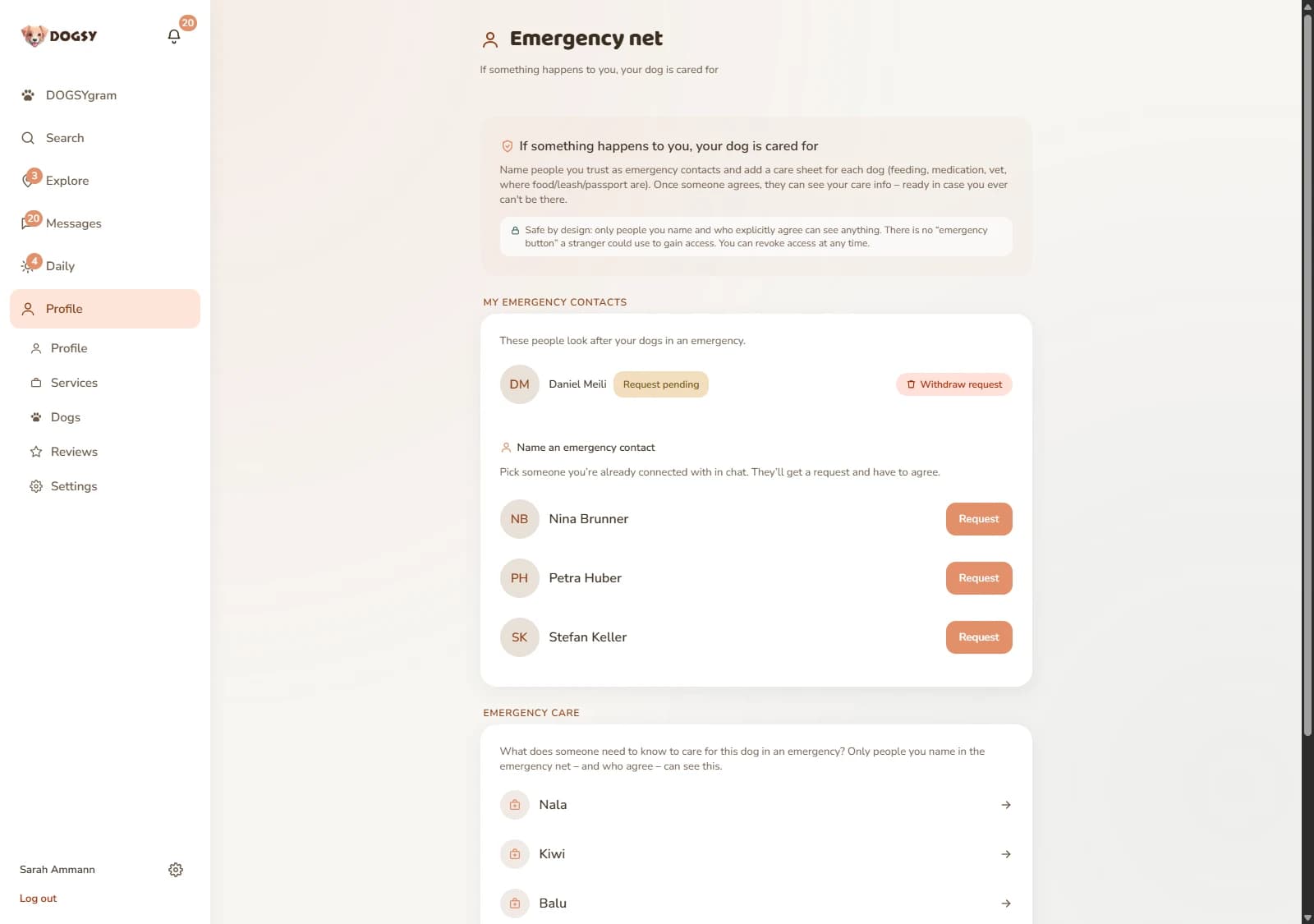
A look inside your emergency net
One shot from the logged-in area: the promise and the safety note at the top, below them your emergency contacts and the picker for naming someone – and at the bottom the care info for your dogs.
What is it good for?
Three situations where the emergency net makes the difference:
You end up in hospital unexpectedly
Your emergency contacts don't have to reach you or search for anything. Whoever agreed opens the emergency net in DOGSY, finds your name and the number of your dogs under «I'm an emergency contact for» and taps «View care info». Everything each dog needs is right there.
You cover for each other
You've been walking your dogs together for years? Then name each other. Each request stands on its own: you agree to hers, she agrees to yours. And each side can remove its own access again without touching the other direction.
The medication changes
New dose, new practice, new sleeping spot? You change it once in the care sheet in the dog record. Anyone who agreed sees the current state the next time they open it – you don't have to send anything after the fact.
All of this is part of the free DOGSY account.
What belongs in the care sheet
Imagine someone standing in your flat tomorrow morning who doesn't know your dog. Everything that person would need to know belongs in the care sheet. You fill it in per dog – and you can add to it at any time:
- Feeding – how often, how much, which food, anything special
- Medication – which one, when, how much
- Vet – practice, phone, address or emergency number
- Where things are – food, leash, passport and chip number, spare key
- Daily routine – walk times, sleeping spot, fears, compatibility
- More notes – anything else that matters
Honestly: the emergency net is not an emergency service
DOGSY runs no emergency team of its own and does not notice by itself that something has happened to you. There is no emergency button anyone could use to gain access or set off a chain of events. The emergency net is preparation: the right people have agreed in advance, and the information is ready when it's needed. Don't confuse it with the emergency vet section under «Discover» either – that's where you find clinics and emergency practices when your dog is acutely unwell.
What the emergency net does
It records who may step in, and makes sure that person finds the care info for your dogs – prepared in advance, with consent, revocable at any time.
What it doesn't do
It doesn't alert anyone by itself, doesn't call for help and doesn't replace a vet. If your dog is acutely unwell, contact a clinic or the emergency vet service straight away.
Who sees what
None of this is public: there is no list of emergency contacts, no way to search for them and no route in for strangers. Only people you have named and who have agreed see your care info – and they see the sheets for all your dogs, because consent is given once per person. The server checks this on every single access, not just the display. Remove access or block someone, and they're gone immediately.
Frequently asked questions about the emergency net
Who can I name as an emergency contact?
People you're already connected with in DOGSY chat – someone you've written to anyway. There's deliberately no name or email field, so nobody can enter complete strangers. If you don't know the person on DOGSY yet, message them first.
Does my emergency contact see everything right away?
No. After your request the person sees nothing at all – only that you're asking. Only once they agree do they get access to your dogs' care sheets. Your messages, your profile or other areas are never affected.
Can I undo it?
At any time, and from both sides: you can withdraw an open request or remove access from a contact who agreed. Equally, anyone can step down themselves. After that they see nothing at all, immediately.
Is the emergency net the same as the emergency vet service?
No. The emergency vet section under «Discover» shows you clinics and emergency practices when your dog is acutely unwell. The emergency net settles who looks after your dog when YOU can't.
Will someone be alerted if something happens to me?
No – DOGSY doesn't know about it. Notifications only go out around the naming itself: the person you ask when you send the request, and you when they agree or decline. In an emergency your contact signs in to DOGSY and finds everything they need there.
Does the emergency net cost anything?
No. The emergency net, like DOGSY as a whole, is free.
Set up your emergency net before you need it
Register for free, name someone you trust and store the care sheet for your dog.