Rudel & family: closer to the dog, together
On DOGSY you don't have to do anything alone. Your Rudel connects you with dog friends and your neighbourhood so you can message each other – one to one or as a group. And with the family profile, partners or family share ONE dog profile so everyone can share the care. Here you'll learn how both work.
Here's what it looks like in the app
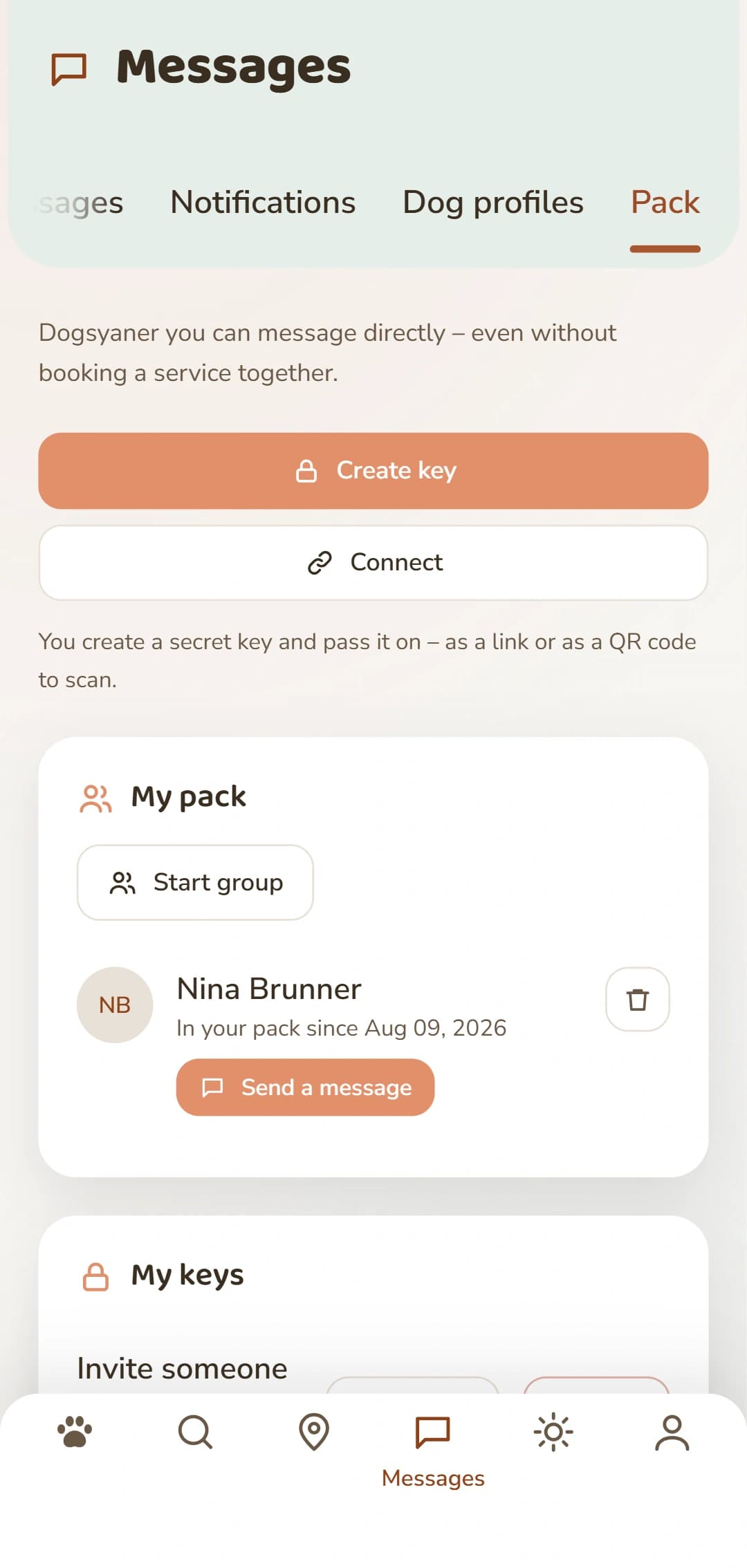
A look at the Rudel tab, before you sign up.
Two ways to be closer
Rudel – your dog group
Your Rudel is the people you can message directly – even without booking anything together. Connect with people from dog class, from the walk or from your neighbourhood, and start a group chat whenever you need one.
Family – one profile, several logins
One dog, several people: with the family profile, partners or family share ONE DOGSY profile and its whole history. Each person has their own login with their own password – and in chat it's clear who is writing.
How to build your Rudel
You invite someone with a secret key – as a link or as a QR code to scan. In just a few steps you're connected:
Open your Rudel
In the app you'll find your Rudel under Messages, in the «Rudel» tab. That's where you manage your connections and your keys.
Create a key
Create an invitation key and choose how long it's valid (1, 7 or 30 days) and how many people can redeem it – one person by default.
Share a link or QR code
Pass the key on – by message, WhatsApp and the like, or as a QR code the other person simply scans with their camera.
Connect & message
Whoever redeems the key appears in your Rudel – with their name, the date they joined and a button to write to them. You can message each other right away.
Write as a group
From your Rudel you start a group chat with one tap. You can pick people from your Rudel and anyone you already chat with – at least two of them. If you like, give the group a name, «Tuesday puppy class» for example.
A key is revocable: you can withdraw it at any time, and anyone you've blocked cannot join your Rudel. Connections you've already made stay in place.
How to share one dog profile
For the family profile you invite each other by email. After that you run the profile together – each person with their own login:
Invite a person by email
As the owner of the profile you enter the person's email address and send the invitation. Only owners can invite and remove members.
Create your own login
The invited person creates their own login with their own password – or accepts the invitation with their existing DOGSY account, right in the app.
Run the profile together
From then on you share the dog profile and its history. In chat, others can see who in the family wrote. In your settings you can switch between your own profile and the family profile at any time.
You always keep your own profile. Anyone who leaves the family, or is removed by the owner, only loses access to the family profile – their own DOGSY login remains.
What is it good for?
Three everyday situations where the Rudel and the family profile help:
After dog class
You want to stay in touch without swapping phone numbers? Create a key that is valid for 30 days and can be redeemed by five people, and hold the QR code up for the group. Everyone who scans it lands in your Rudel – after that you message one to one or as a group.
When you take turns at home
One of you does the walk, the other takes the dog to the vet: with the family profile you run ONE dog profile together, each person with their own login and their own password. In chat, the others can see who from the family wrote.
When you want to tidy up again
A key got passed around too far? Withdraw it with «Widerrufen» (revoke) – connections you have already made are not affected. And you can end a single connection: it ends for both of you, and your previous conversation stays.
The Rudel and the family profile are both part of the free DOGSY account.
Private and secure
Both stay in your hands. A Rudel key is secret and revocable – you decide how long it's valid and how many people can redeem it. Your Rudel list is visible to you alone. With the family profile every person has their own password, and email addresses are visible only to family members, never public. A family profile is deliberately not two-factor authentication: only give access to people you truly trust.
Frequently asked questions about Rudel & family
What's the difference between Rudel and family?
Your Rudel connects you with other people – everyone keeps their own profile, you can message each other directly and form group chats. The family profile is the opposite: ONE dog profile shared by several logins, so partners or family can care for the dog together.
What does it cost?
Nothing. Rudel and the family profile are part of the free DOGSY account. There's no fee for connecting.
Who can see my Rudel and my family?
Your Rudel list is visible only to you. With the family profile, members' email addresses are visible only within the family and never public.
How do I invite someone to my Rudel?
You create a secret key in the app and share it as a link or QR code. You choose how long it's valid and how many people can redeem it, and you can revoke the key at any time.
Can several people run the same dog profile?
Yes, that's exactly what the family profile is for: one profile, several separate logins each with their own password. In chat it stays visible who in the family is writing.
Is the family profile two-factor authentication?
No. Each person signs in with their own password. A shared profile does not replace two-factor authentication – only share access with people you trust.
Can I undo a connection?
Yes. You can dissolve a Rudel connection; your existing conversation stays. In a family, the owner can remove a member, and members can leave the family themselves – in each case the person keeps their own login.
Build your Rudel
Register on DOGSY for free, connect with your dog friends, and – if you like – share a family profile.